YouTube channel art is one of the first things a visitor notices when they land on your channel page. A blurry, generic, or off-size banner can cost you subscribers before you even have a chance to make your pitch. The good news is that generative AI has completely changed the game for creators who want professional-quality channel art without hiring a designer or spending hours in complex software. Whether you are working from a desktop, a tablet, or your phone on the go, there are now platforms built specifically to help you produce polished, on-brand YouTube banners in minutes. This article breaks down what to look for in these tools, the best practices for creating standout channel art, and how to make the most of AI-powered features no matter where you are working from.
Why Generative AI Is a Game-Changer for YouTube Channel Art
YouTube banner creation used to require either a professional designer or a steep learning curve with traditional graphic software. Templates helped, but they still demanded a working knowledge of layout, typography, and color theory to customize effectively. Generative AI changes that equation entirely.
With AI-assisted platforms, you can describe a visual concept in plain language and receive a fully realized design suggestion in seconds. These tools use machine learning trained on massive visual datasets to understand your intent, generate background imagery, suggest complementary color palettes, and even auto-place text elements in visually balanced positions. The result is a creative starting point that would have taken hours to assemble manually.
What makes this especially powerful for YouTube creators is that channel banners have very specific technical requirements. YouTube recommends a 2560 x 1440 pixel image, but only the central 1546 x 423 pixels are consistently visible across all devices. AI-powered tools that are built with YouTube in mind handle this complexity behind the scenes, letting you focus on the creative vision rather than the pixel math.
What to Look for in a Generative AI YouTube Banner Platform
Not all AI design tools are created equal. Before committing to a platform, it is worth knowing what features actually matter for YouTube channel art specifically.
Mobile and cross-device compatibility is the first consideration. If you manage your channel on your phone or switch between devices, you need a platform with a responsive web interface or a dedicated mobile app. The best tools offer seamless editing whether you are on iOS, Android, or a desktop browser, and they sync your work automatically so nothing gets lost between sessions.
Purpose-built YouTube templates are another major differentiator. Generic banner templates often use the wrong dimensions or do not account for YouTube’s safe zone, meaning your most important content could get cropped on TVs or hidden under channel navigation elements. Look for platforms that have pre-sized, YouTube-specific templates baked into their workflow.
Text and logo integration matters more than people expect. Your channel name, tagline, social handles, and upload schedule are often the most critical information on a banner. AI tools that let you input this content and then intelligently place and style it save significant time compared to dragging and dropping manually.
Style consistency tools, such as brand kits or saved color palettes, ensure your banner matches the look of your thumbnails, channel trailer, and social profiles. Platforms with AI-assisted brand matching can analyze your existing content and suggest banner designs that feel cohesive with your established visual identity.
Top Tips for Creating YouTube Banners with Generative AI
Start with a Clear Creative Brief, Even for AI
Generative AI tools perform best when given specific, detailed input. Rather than typing “make a gaming banner,” try something like “dark background with neon green highlights, futuristic city skyline, and a bold uppercase channel name in the center safe zone.” The more descriptive your prompt, the closer the AI output will be to your actual vision. Think about your niche, your audience, and the mood you want your channel to convey before you type your first prompt.
Spending two or three minutes writing out your creative direction before you open any tool is time well invested. This small habit dramatically reduces the number of revision cycles and helps you evaluate AI-generated options more confidently.
Use a Platform Built for YouTube Dimensions
One of the most common mistakes new creators make is designing a banner in the wrong size and then trying to resize it afterward. Resizing a finished design almost always causes quality loss or forces awkward cropping. Using a platform that starts you off with the correct YouTube banner dimensions means your design will look sharp and properly framed from the moment you begin.
Adobe Express is one of the strongest options in this space. Their dedicated YouTube banner tool includes AI-powered design features, correctly sized templates, and a streamlined interface that works across desktop and mobile browsers. You can generate unique background imagery using AI, customize text and color schemes, and download a high-resolution file ready to upload directly to your channel. It is particularly well-suited for creators who want professional results without needing any prior design experience.
Keep Your Design Focused on the Safe Zone
Because YouTube channel art displays differently on desktops, tablets, mobile phones, and TVs, it is essential to keep your most important content within the universally visible safe zone. This is roughly the central 1546 x 423 pixel area of the full 2560 x 1440 pixel canvas. Many AI platforms visually indicate this zone during the design process, making it easy to ensure your channel name and key visuals will always be visible.
Treat the outer edges of your banner as decorative space. Gradients, abstract textures, or background imagery work well there because it does not matter if they get cropped on certain screen sizes. Reserve the center for your channel identity.
Generate Multiple AI Variations Before Committing
One of the underutilized advantages of generative AI is how quickly it can produce variations. Instead of settling for the first result, use the platform’s variation or regenerate feature to produce four or five different interpretations of your creative prompt. This gives you a much richer set of raw material to work with and often surfaces ideas you would not have thought of on your own.
After generating variations, download or save your top two or three candidates. View them on multiple screen sizes, including your phone, to see how they translate before making a final decision.
Match Your Banner to Your Thumbnail Style
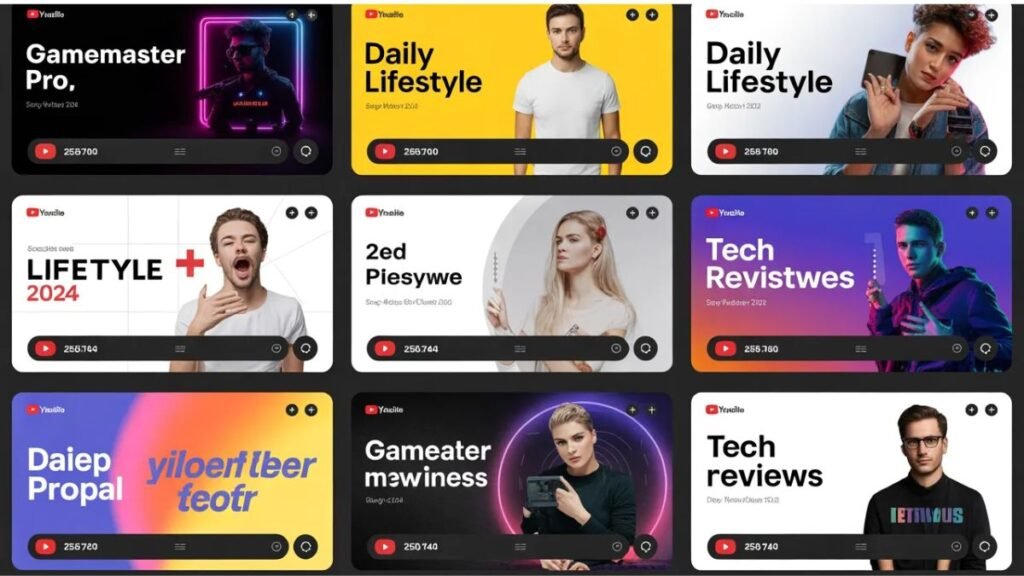
Subscribers develop visual recognition for channels they follow. When your banner, thumbnails, and profile picture all share the same fonts, colors, and general aesthetic, your channel feels more professional and easier to identify in a crowded feed. Many AI-powered platforms allow you to upload existing assets like thumbnails or logos and use them as style references when generating banner designs.
If you have not yet developed a thumbnail style, now is actually the perfect time to establish one. Start with your banner and use the color palette and typography you choose there as the foundation for all future visual content.
Use AI to Generate Background Imagery, Then Customize Manually
Generative AI excels at creating eye-catching background imagery, whether that is an abstract texture, a stylized landscape, or a vibrant gradient pattern. However, the best results often come from combining AI-generated backgrounds with manually placed text, logos, and graphic elements. Think of the AI as your background artist and yourself as the art director.
Most platforms that offer generative AI backgrounds also allow you to layer your own text and branding on top in a user-friendly drag-and-drop editor. This hybrid approach gives you creative control over the elements that matter most for brand recognition while letting the AI handle the time-consuming visual work.
Optimize File Size Before Uploading
YouTube recommends keeping your banner file under 6MB. While this sounds like plenty of room, high-resolution images with lots of detail can exceed this limit if not properly exported. When downloading your finished banner, choose JPEG format for photographic or gradient-heavy designs, since it compresses more efficiently than PNG without a visible quality loss at banner sizes.
PNG is the better choice if your banner has sharp edges, text with transparent backgrounds, or logo elements that require crisp lines. Most AI platforms will give you the option to choose your export format. Always preview the exported file at 100 percent zoom before uploading to make sure compression has not introduced any artifacts.
Test Your Banner Across Multiple Devices
Before considering your banner complete, view it through the YouTube channel page on at least three different screen sizes: a desktop browser, a mobile phone, and if possible a tablet. This is the only reliable way to confirm that your text is readable, your safe zone content is intact, and nothing critical has been cut off.
You can do this quickly by simply navigating to your channel on each device after uploading the banner. If something looks off, most AI platforms let you go back and adjust without starting over from scratch. Keeping your original project file saved in the platform means future updates take minutes rather than hours.
Refresh Your Banner Seasonally or with Major Channel Milestones
Your channel evolves over time, and your banner should too. Generative AI makes it easier than ever to update your channel art quickly without commissioning new design work. Consider refreshing your banner for the start of a new content series, a channel rebrand, major subscriber milestones, or seasonal campaigns.
Many creators find that even subtle banner updates, like a color scheme shift or an updated tagline, give their channel a renewed energy and signal to returning visitors that fresh content is on the way. Because AI platforms store your previous projects, iterations are fast and low-effort.
Use Your Banner to Communicate Your Upload Schedule or Value Proposition
Some of the most effective YouTube banners do more than look good. They communicate something specific: when new videos drop, what kind of content to expect, or what makes this channel worth subscribing to. Text overlays like “New Videos Every Tuesday” or “Tutorials for Beginner Photographers” give potential subscribers an immediate reason to click the subscribe button.
AI text tools can help you style this kind of copy so it looks intentional and well-designed rather than like an afterthought. Experiment with font weights, sizes, and placement until the message feels integrated into the overall design rather than bolted on.
FAQ
What makes a YouTube channel banner look professional?
A professional YouTube channel banner typically combines high-resolution imagery, intentional typography, and a consistent color palette that matches the rest of the channel’s visual identity. Beyond aesthetics, professionalism comes from technical precision, specifically keeping critical content within YouTube’s safe zone so it displays correctly on every screen type. Generative AI tools help creators achieve this standard by offering pre-sized templates, intelligent text placement, and AI-generated imagery that looks polished without requiring advanced design skills. Investing time in getting these fundamentals right signals to visitors that your channel is active, credible, and worth their subscription.
Can I create a YouTube banner for free using AI platforms?
Many AI-powered design platforms offer free tiers that include access to generative features and YouTube-specific templates, though some advanced capabilities like higher-resolution exports or expanded AI generation credits may require a paid plan. For most individual creators just starting out, a free tier provides more than enough functionality to produce a professional-looking banner. It is worth exploring what each platform includes at no cost before committing to a subscription, since the feature gap between free and paid tiers varies significantly from tool to tool.
How often should I update my YouTube channel banner?
There is no hard rule, but most successful creators update their channel banner at least a few times per year. Common triggers for a refresh include launching a new content series, rebranding, hitting a major subscriber milestone, or aligning the channel art with a seasonal campaign. Because generative AI makes the update process fast, there is little reason to leave outdated channel art in place. Keeping your banner current is a low-effort way to show returning visitors that your channel is active and evolving. For creators who post on a consistent schedule, even a minor visual refresh every few months can reinvigorate audience interest.
What file format and dimensions does YouTube require for channel banners?
YouTube requires channel banner images to be at least 2048 x 1152 pixels, with the recommended size being 2560 x 1440 pixels for the best display quality across all devices. The maximum file size is 6MB. YouTube supports JPEG, PNG, BMP, and GIF formats, though JPEG and PNG are the most commonly used. The safe zone, meaning the area that will be visible regardless of the viewing device, is approximately 1546 x 423 pixels centered on the canvas. AI platforms designed specifically for YouTube banners typically handle these specifications automatically, so you do not need to manage the numbers manually. For creators who want to double-check their final design against YouTube’s current official guidelines, the YouTube Help Center at support.google.com/youtube is a reliable and regularly updated resource.
How do I make sure my banner matches my YouTube thumbnails?
Consistency between your banner and thumbnails comes down to three elements: color palette, typography, and overall visual tone. The most efficient way to achieve this is to establish your brand colors and fonts in your design platform’s brand kit or style settings and then apply those same settings when creating both your banner and your thumbnails. If you already have a library of thumbnails you are happy with, use them as a reference when generating your banner by uploading one or two as style examples. AI tools that support style matching or brand uploads are particularly helpful here, since they can analyze your existing visual assets and generate banner options that feel cohesive without requiring you to manually match every hex code and font name.
Conclusion
Generative AI has removed the biggest barriers that once kept creators from having professional-quality YouTube channel art. You no longer need a designer’s budget, a powerful desktop computer, or hours of free time to produce a banner that represents your channel at its best. Whether you are building a channel from scratch or refreshing an established brand, the current generation of AI-powered platforms makes it possible to create standout channel art from any device in a fraction of the time it used to take.
The key is approaching these tools with intention. Know your creative direction before you start, work within YouTube’s technical requirements, and use the AI to accelerate your vision rather than replace it. With the right platform and a clear sense of your channel’s identity, a great YouTube banner is no longer a design project. It is an afternoon task with a result you can be proud of for months to come.